

October 6, 2023
The Future of Flux Copilot

Share


If menial tasks are corroding the magic you once felt building electronics, you are not alone. Aerospace engineers once relied on protractors and books of mathematics tables, and early semiconductor circuits were laid out manually with scalpels and stencils. From computer-aided design to EUV photolithography, new tools opened new frontiers of possibility, letting engineers spend more and more time solving interesting problems instead of doing busywork.
That’s why we built an AI assistant for designing electronics: Flux Copilot. It removes the drudgery for electrical engineers, helps you move faster, and make less mistakes so you can focus on inventing breakthrough products.
When you open Flux, Copilot is waiting for you in the chat. Brainstorming how to approach a particular PCB design? Struggling to fix a stubborn bug? Just ask, and Copilot will respond instantly with suggestions tailored to your project—you can even ask it to wire up schematics or review a design. It's not just a tool; it's your design partner.
Under the hood, Copilot coordinates a team of AI models that collaborate to interpret, research, analyze, and respond to your query. When you ask a question, it remembers your chat history, accounts for project requirements, references relevant datasheets, checks parts availability, and vets comparable options before responding. By drawing on this rich context, Copilot manages its array of specialized models and evaluates results in order to generate the best response to your query.
LLMs add a new layer to the top of the software stack—transforming natural language into a programming language so you can communicate with computers in your native tongue instead of code. So the best way to use Copilot is to treat it like a partner: talking through problems, refining questions, and iterating solutions together. More conversation means more context for it to leverage on your behalf.
Copilot is a tireless deputy dedicated to accelerating your creativity. Hobbyists are using it to build side projects. Entrepreneurs are using it to add new lines of business. Teams at Fortune 100s are using it to inform designs and streamline design reviews. But we’re just getting started.
Imagine you're part of a team that's been tasked with innovating the next generation of wearable health monitors. Stringent design constraints include ultra-low power consumption, medical-grade accuracy, and real-time communication with healthcare providers. A small mistake in component selection could result in a device that fails to meet regulatory standards.
You fire up Flux and initiate a chat with Copilot:
@copilot, we're working on a medical wearable with these specs...
Copilot begins by validating your high-level requirements against current medical standards. Within moments, a list of components that meet your specifications appears on your screen. The AI also generates a basic schematic layout.
Copilot: Based on your specs, here's a rough schematic design with MCU chips, sensors, and power management ICs that fit your criteria. What do you think?
An interactive schematic layout appears on the screen alongside the chat, making it easier for you to visualize the system design. Copilot also estimates the battery life based on the initial schematic and offers to set up notifications for when certain components go on sale or get updated.
Copilot: Looks like our initial Bluetooth choice might consume too much power. How about this low-energy alternative?
The suggestion comes with a recalculated power budget, helping you make an informed decision quickly.
Once the schematic is confirmed, Copilot transitions to creating a basic PCB layout:
Copilot: We're good to go on the schematic. Let's talk PCB layout. I see your mechanical engineering team has constraints for the device enclosure. Shall we coordinate?
You agree, and Copilot generates an initial PCB layout. It also reaches out to your mechanical engineering team to get the constraints for the device enclosure. Within moments, an algorithmically generated 3D enclosure model appears on the screen, designed to perfectly fit your PCB.
Copilot: Here's an auto-generated enclosure that meets the mechanical constraints and fits the PCB layout. How does it look to the team?
After some back-and-forths between your electrical and mechanical teams, facilitated by Copilot, you arrive at a finalized design.
Copilot: Looks like we have a winner! I'll go ahead and run a mock compliance check and notify the firmware team for the final integration.
Fast-forward a few months, and your device is not only meeting but exceeding expectations. Copilot assists in generating the documentation needed for formal compliance checks and eventual mass production.
In the Marvel Cinematic Universe (MCU), Tony Stark uses his trusty AI, J.A.R.V.I.S., to build his Iron Man Armor. When Tony has an idea, J.A.R.V.I.S. is always there—relentlessly competent—to transform that idea into reality. J.A.R.V.I.S. understands what Tony needs and taps the relevant resources to make it happen, extending his agency and increasing the leverage of his decisions.
In many ways, J.A.R.V.I.S. represents the kind of AI that Copilot is evolving toward: a tool that empowers you to make anything you can dream up. But in the movies, Tony is a billionaire and J.A.R.V.I.S. is his and his alone, while Copilot is open to everyone, democratizing access to exclusive domains like electrical engineering. Imagine an MCU where everyone has a J.A.R.V.I.S. working tirelessly on their behalf to improve their lives and world. Thanos wouldn’t stand a chance. That is the kind of abundant future we seek to realize.
One day, Copilot will grok your entire supply chain. It will be able to handle any design task you want to delegate. It will accelerate your creativity by making atoms as malleable as bits. That’s how it will earn the J.A.R.V.I.S. analogy. That’s how it will help you build anything you can possibly imagine, making good on Arthur C. Clarke’s injunction that “any sufficiently advanced technology is indistinguishable from magic.”
So how will you make things better by making better things? We can’t wait to find out.


This Spring 2026 updates make hardware design faster end-to-end with a more capable, self-correcting AI agent, improved AI auto-layout that needs less cleanup, sourcing-aware design with real-time pricing and availability, and templates to start from.


Imagine an AI teammate that doesn’t just chat about your PCB ideas, but actively transforms them into schematics—placing parts, connecting circuits, and optimizing your design at your command, all through natural language. That’s exactly what the newly overhauled Flux Copilot does.

Whether you're migrating from popular EDA applications or starting fresh, mastering high speed PCB design has never been more intuitive. Flux enables teams to design, simulate, and route with real-time AI assistance, so you can spin your next high-speed board with total confidence.


DRC is an automated process that checks your PCB layout against manufacturing and electrical constraints, catching errors like trace spacing and drill sizes before fabrication. Modern tools run this in real-time during design, while older ones batch-check at the end, often producing overwhelming error lists.

Mastering multilayer PCB design is key for complex electronics. Use strategic stackup (Signal-Ground-Power-Signal), perpendicular routing, and solid ground/power planes to ensure signal integrity, reduce EMI, and support high-density components for applications like IoT and robotics.

AI Auto Layout’s Winter Update delivers cleaner, more human-like routing with faster, more reliable results. It handles most of the routing workload so you can focus on the critical parts of your PCB design.

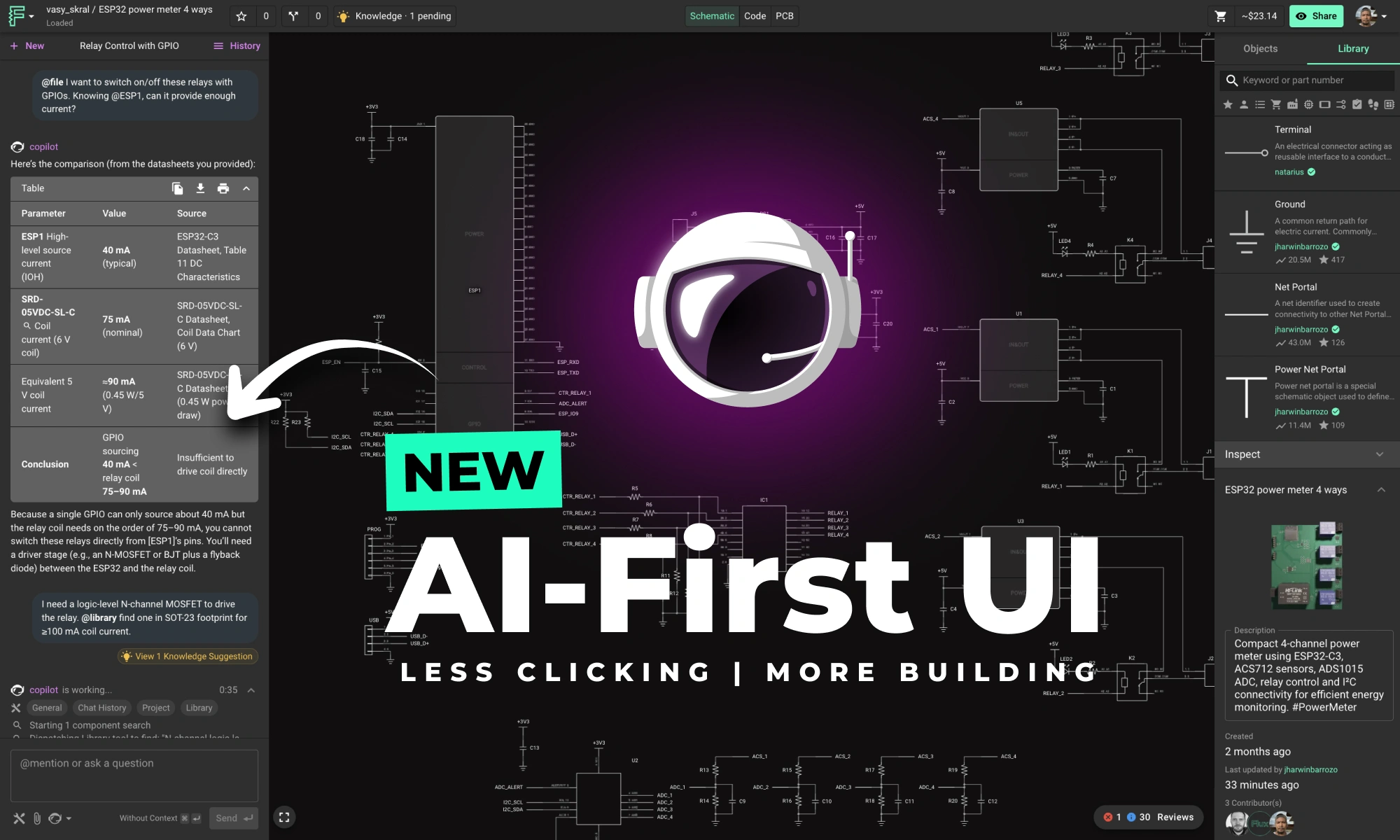
This update brings more than just polish—it’s the foundation for a faster, more fluid design experience, built around the way Copilot is used today and the way we see it evolving tomorrow.

This post will give you a deeper understanding of how Flux Copilot works, how large language models (LLMs) and agentic systems operate under the hood, and why grounding them in engineering context matters.


