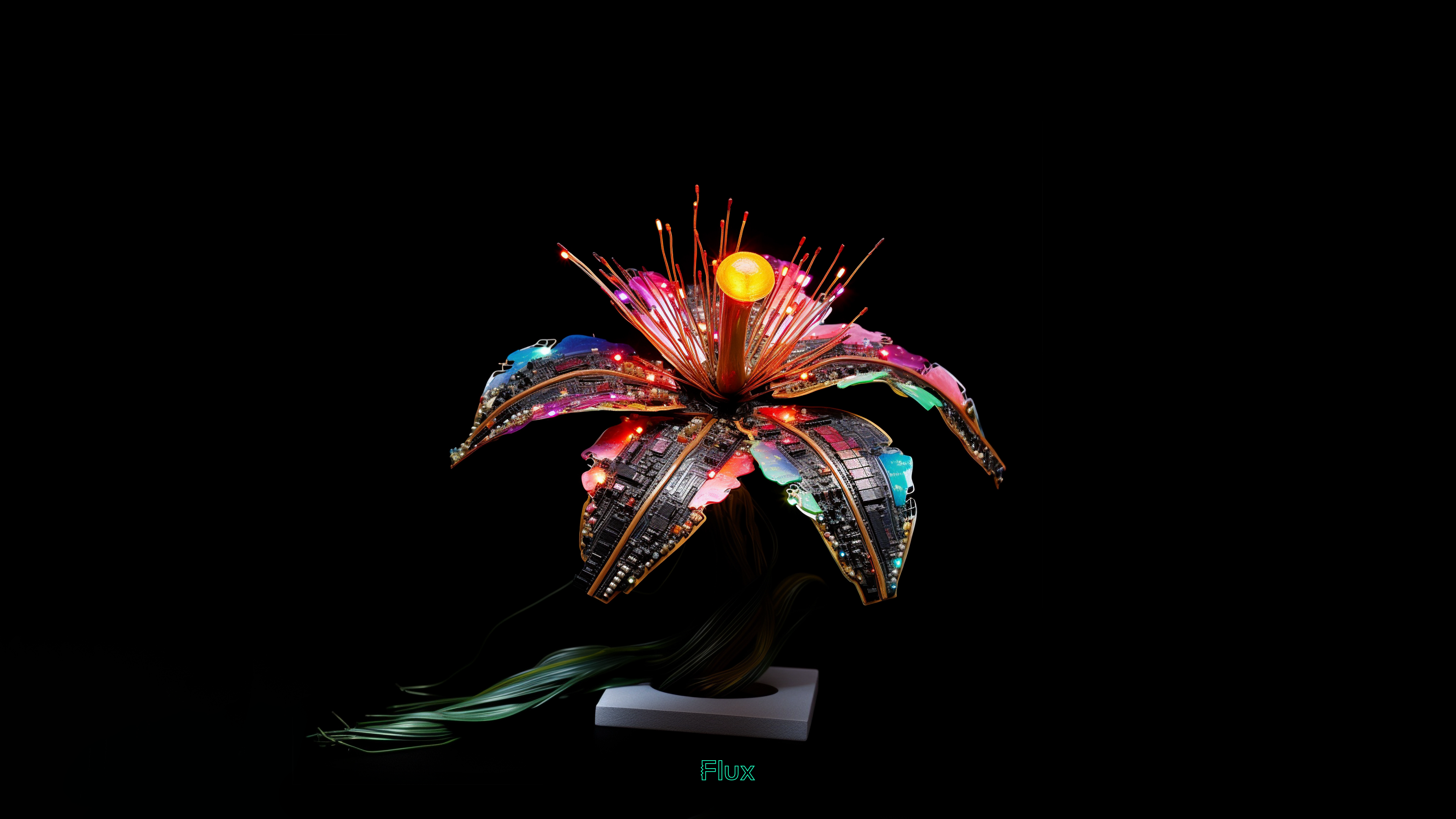
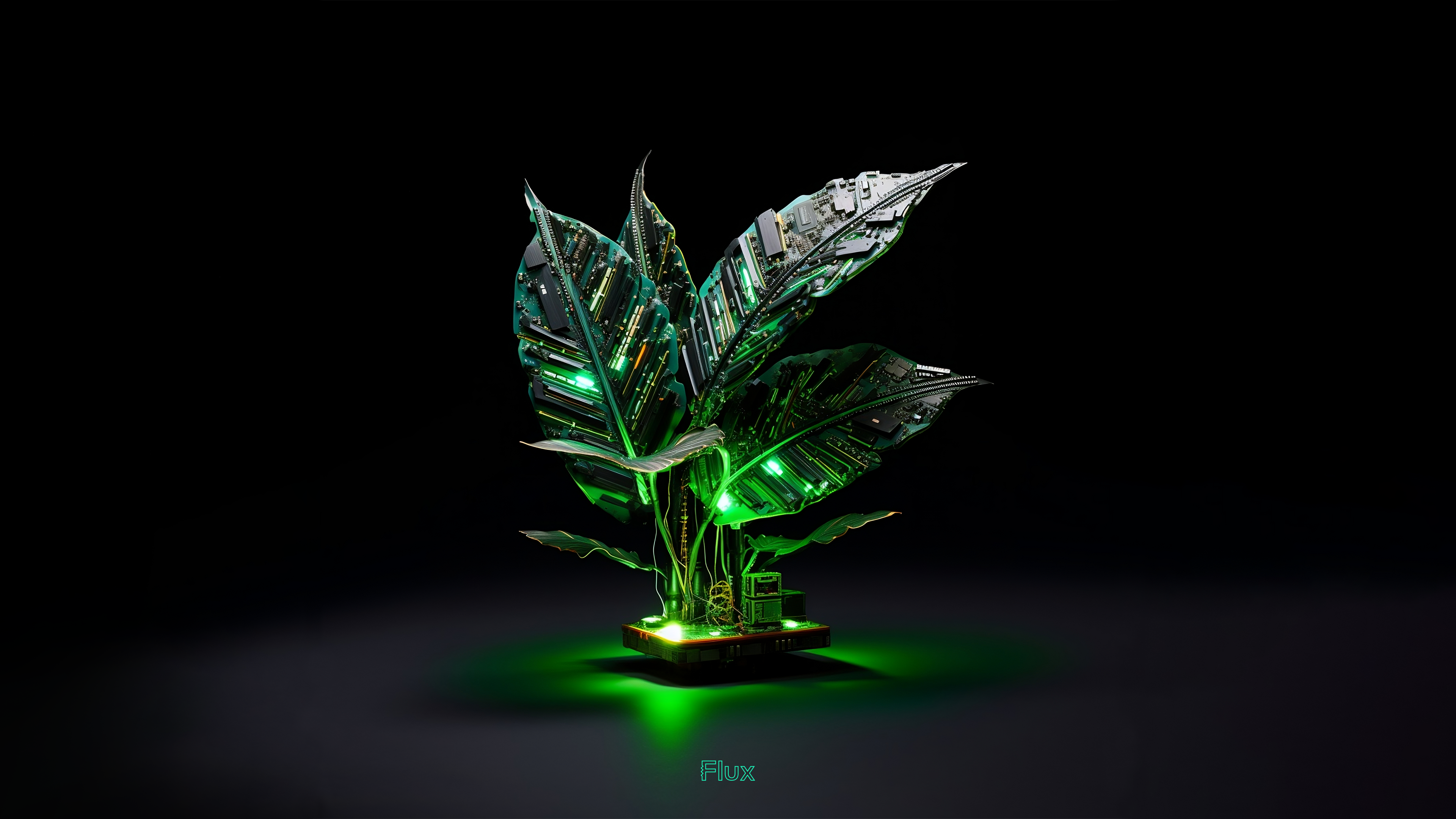
Imagine blending the intricate world of circuitry with the serene beauty of nature. That's exactly what I've done with Flux’s first collection of wallpapers, designed exclusively for the innovators of our world – PCB design engineers and electrical engineers. These aren't your ordinary wallpapers; they're a fusion of technology and flora, featuring plants with PCB boards as their leaves. Intrigued? Let’s explore this electrifying concept.

The Inspiration Behind PCB Plant Wallpapers

I’ve been thinking a lot about what Steve Jobs did. With the products he created at Apple, he found a way to merge engineering with the humanities. In doing so, he enabled more people to experience and connect with technology. Wow, I thought, This kind of thinking is powerful but overlooked for PCB and electronics design. There is an artistic side that's often overlooked. I wanted to capture the feeling of creation, of invention, in these wallpapers. The goal is to kindle the spark of inspiration and also celebrate the creativity and ingenuity that engineers bring to their work every day.

Design Details and Features

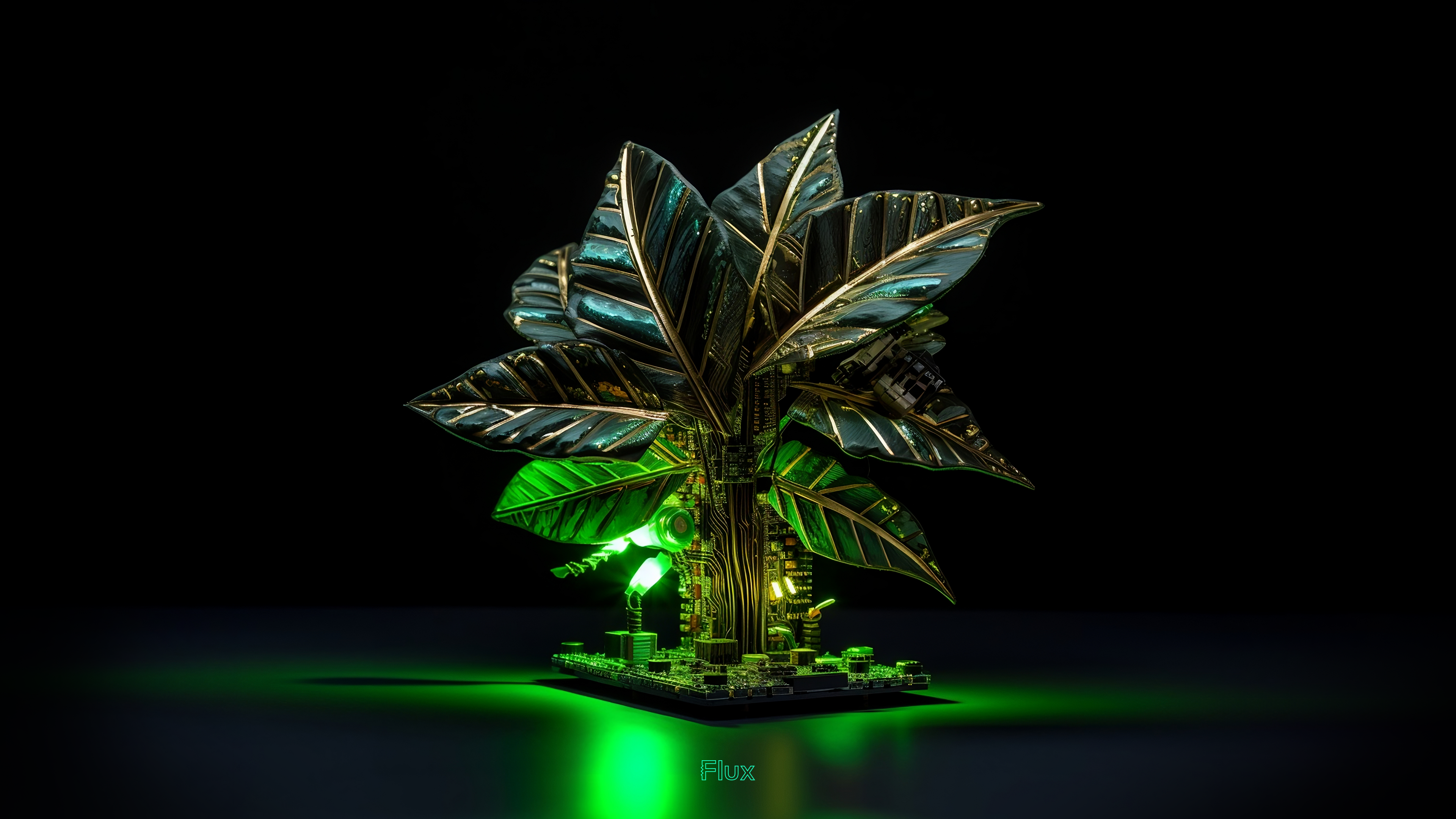
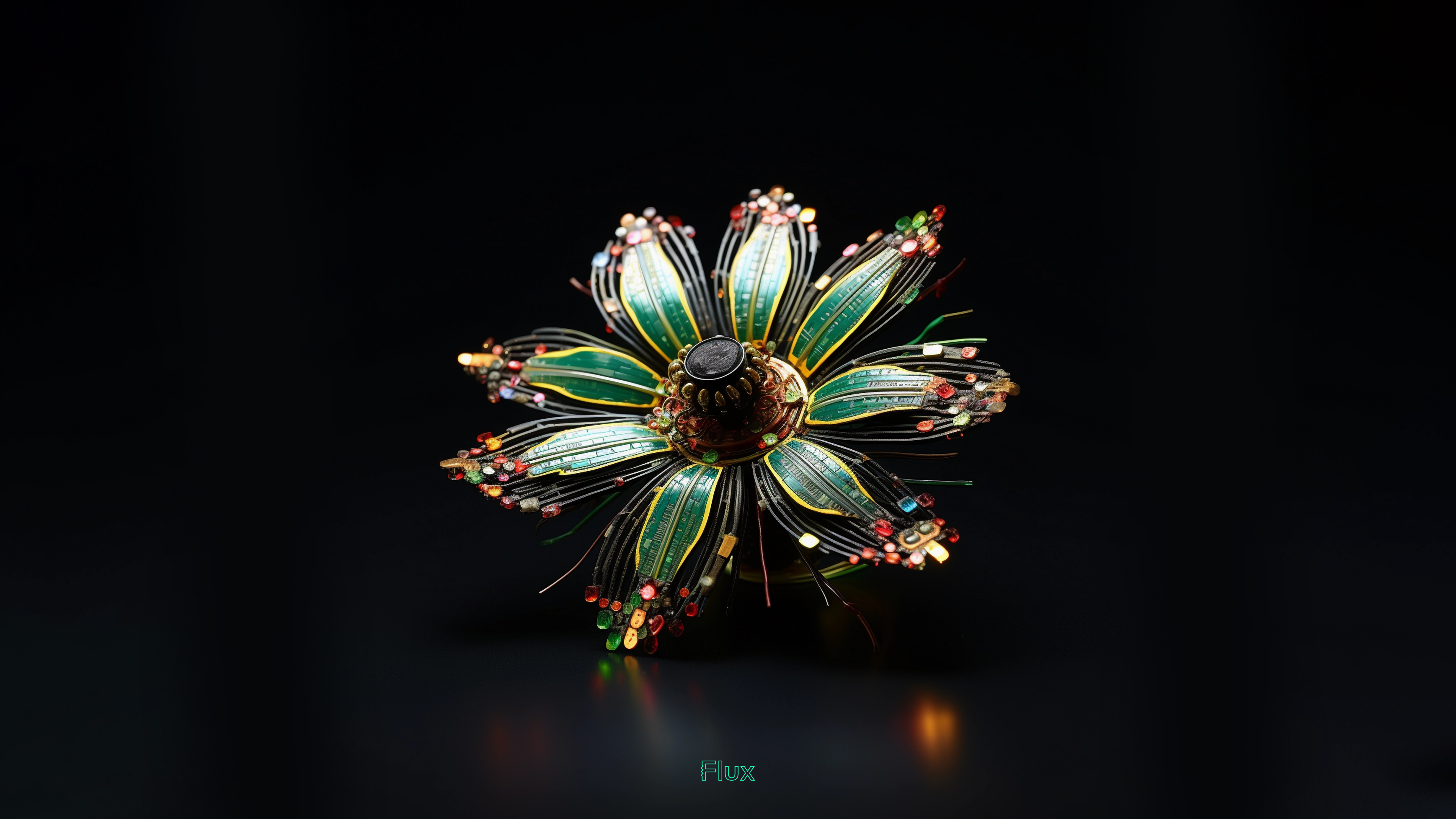
E‍ach wallpaper was designed with Midjourney. Many iterations of prompt tuning and post processing were required to produce a series that felt right. I wanted to strike a balance between the artificial and natural. And I wanted to inspire with a sense of fantasy while still keeping one foot in the possible. The result is four wallpapers which evoke futurism with the classic forms of the natural world. Brilliant color and glowing light evoke optimism while a shallow depth of field and the dark background evokes an intimacy. These products - or are they organisms - are shot in a reserved style of a professionally photographed object.

Why These Wallpapers Resonate with Engineers

For engineers, I hope these wallpapers will be more than just a background for their screens; they'll be a source of daily inspiration. The fusion of a PCB’s precision with the organic form of plants reflects the innovative spirit of engineering. It's a daily reminder of how engineering not only solves practical problems but also creates beauty and harmony.

How to Get These Wallpapers

Ready to bring this unique blend of technology and nature to your workspace? We're excited to share that these exclusive wallpapers come in stunning 4K resolution, ensuring that every detail of the intricate PCB designs is beautifully rendered. And the best part? They are available for both desktop and mobile phones, directly downloadable from this blog post!

In a world where technology often distances us from nature, these wallpapers serve as a beautiful reminder of how the two can coexist harmoniously. They’re more than just decoration; they're a statement of the beauty in engineering and an ode to the creativity that engineers bring to our world.
A captivating digital artwork depicting a futuristic tree with metallic, fan-like fronds that shimmer with reflective silver and green hues mimicking photosynthesis is happening. The tree's leaves are intricately designed with a high-tech circuit pattern, giving the impression of advanced technology merged with organic form. A soft, neon-green glow emanates from beneath the tree, casting a radiant light on the surface it stands upon and creating a halo effect on the dark background. The tree stands centrally in the image, evoking a sense of otherworldly beauty and technological harmony.
Download Photo Synthesizer Wallpaper in 4K
This image presents a digital art piece resembling a mechanical flower in full bloom. The flower's petals are composed of flex and rigid pcb, reminiscent of a futuristic plant life form. Each petal is edged with delicate beads of red, green, and gold, simulating tiny blossoms or lights. The flower's core is a dark, spherical assembly that anchors the petals, giving the impression of a central, intricate stamen. The artwork is set against a deep black background, with a subtle reflection visible below, hinting at a glossy surface upon which the mechanical flower rests.
Download Flex Flower Wallpaper in 4K
A striking piece of digital art featuring an abstract, plant-like structure that bursts with vibrant colors and dynamic lighting. This fantastical creation sports fronds that arc gracefully outward, adorned with a spectrum of neon lights, glittering patterns resembling surface-mounted components and ICs, and radiant gem-like elements. The central orb glows warmly, casting a phase array of light rays in pink, orange, and yellow, simulating a lively energy source. The sculpture appears to float against a pitch-black backdrop, with a wispy, green tendril-like element gently descending towards a minimalist white pedestal at the bottom of the frame, adding a touch of motion and contrast to the composition.
Download Tropical Phase Array Wallpaper in 4K
Digital artwork of a stylized metallic palm-like tree glowing with neon green lights. The tree has broad, fan-shaped fronds with intricate PCB and advanced connectors for circuit trace patterns etched into their surface, suggesting a fusion of natural and technological elements. It stands against a stark black background that accentuates its luminous green light emanating from the base, creating a striking contrast and highlighting the futuristic design of the tree.
Download Integrated Circuitry Wallpaper in 4K
4 wallpapers for Mobile Phones

Wallpapers for iPhone:

Share the PCB Plant Magic with Your Network

If these unique PCB plant wallpapers have sparked your interest, share this post with your fellow engineers and designers. Let's spread the word about this innovative blend of technology and nature! And if you have ideas for future designs, we’d love to hear them on our Slack Community.

Profile avatar of the blog author

Brooks Solveig

Brooks is a product designer at Flux. He's passionate about a future where more people can make their dreams a reality. Find him on Flux @brooks

Go 10x faster from idea to PCB
Work with Flux like an engineering intern—automating the grunt work, learning your standards, explaining its decisions, and checking in for feedback at key moments.
Illustration of sub-layout. Several groups of parts and traces hover above a layout.
Design PCBs with AI
Introducing a new way to work: Give Flux a job and it plans, explains, and executes workflows inside a full browser-based eCAD you can edit anytime.
Screenshot of the Flux app showing a PCB in 3D mode with collaborative cursors, a comment thread pinned on the canvas, and live pricing and availability for a part on the board.
Design PCBs with AI
Introducing a new way to work: Give Flux a job and it plans, explains, and executes workflows inside a full browser-based eCAD you can edit anytime.
Screenshot of the Flux app showing a PCB in 3D mode with collaborative cursors, a comment thread pinned on the canvas, and live pricing and availability for a part on the board.
Design PCBs with AI
Introducing a new way to work: Give Flux a job and it plans, explains, and executes workflows inside a full browser-based eCAD you can edit anytime.
Screenshot of the Flux app showing a PCB in 3D mode with collaborative cursors, a comment thread pinned on the canvas, and live pricing and availability for a part on the board.

Related Content

Meet Files: AI-Native Project Documentation

Meet Files: AI-Native Project Documentation

Flux Files centralizes your project docs, assets, and AI outputs in one tab so your team and AI always have the context they need.

Profile avatar of Lance Cassidy
Lance Cassidy
|April 16, 2026
High-Speed PCB Design: Layout Rules, Signal Integrity, and Routing Best Practices

High-Speed PCB Design: Layout Rules, Signal Integrity, and Routing Best Practices

Whether you're migrating from popular EDA applications or starting fresh, mastering high speed PCB design has never been more intuitive. Flux enables teams to design, simulate, and route with real-time AI assistance, so you can spin your next high-speed board with total confidence.

Profile avatar of Yaneev Hacohen
Yaneev Hacohen
|March 26, 2026
Never Worry About Stackups Again: Introducing the Stackup Editor

Never Worry About Stackups Again: Introducing the Stackup Editor

We’re launching our Stackup Editor: a new and improved way to select your PCB stackup that requires less time, less effort, and is less prone to errors. This is another massive step towards creating a single place where designers can collaborate with each other and the industry as a whole.

Profile avatar of Jake Hertz
Jake Hertz
|March 13, 2026
Spring 2026 Updates: Faster AI, Better Layouts, Smarter Sourcing

Spring 2026 Updates: Faster AI, Better Layouts, Smarter Sourcing

This Spring 2026 updates make hardware design faster end-to-end with a more capable, self-correcting AI agent, improved AI auto-layout that needs less cleanup, sourcing-aware design with real-time pricing and availability, and templates to start from.


Profile avatar of Nico Tzovanis
Nico Tzovanis
|March 13, 2026
Less Clicking, More Building: The New AI-First UI

Less Clicking, More Building: The New AI-First UI

This update brings more than just polish—it’s the foundation for a faster, more fluid design experience, built around the way Copilot is used today and the way we see it evolving tomorrow.

Profile avatar of Lance Cassidy
Lance Cassidy
|July 10, 2025
Teach Copilot How You Work with Knowledge

Teach Copilot How You Work with Knowledge

Now, Flux Copilot can learn how you work—your design principles, part selection preferences, schematic style guidelines, and testing workflows—and remember them automatically.

Profile avatar of Matthias Wagner
Matthias Wagner
|May 19, 2025
Smart Polygons: Advanced PCB Design Just Got Easier

Smart Polygons: Advanced PCB Design Just Got Easier

We're excited to unveil our Smart Polygon system in Flux! This powerful capability builds on top of our automatic copper fills to transform how you create and manage custom copper areas in your PCB designs.

Profile avatar of Nico Tzovanis
Nico Tzovanis
|May 8, 2025
Introducing Curved Traces in Flux

Introducing Curved Traces in Flux

Whether you’re routing high-speed buses, fine-tuning antennas, or laying out clean RF filters, sharp 90º or even 45º angles can be a serious bottleneck. Now, you can create precisely curved elbows across entire nets—or dial them in trace by trace—with full control over radius, inheritance, and overrides.

Profile avatar of Lance Cassidy
Lance Cassidy
|April 3, 2025