Raspberry Pi Schematics
A Raspberry Pi is a small, affordable, and versatile computer that can be used for a variety of purposes. It has a range of use cases, including: 1. Home media center: The Raspberry Pi can be used to build a home media center, allowing you to stream movies, music, and TV shows to your TV. 2. Desktop computer: With the right accessories, the Raspberry Pi can be used as a desktop computer for everyday tasks such as browsing the internet, creating documents, and playing games. 3. Learning to code: The Raspberry Pi is a great tool for learning to code, with a range of free resources and tutorials available online. 4. Internet of Things (IoT) projects: The Raspberry Pi can be used to build Internet of Things (IoT) projects, such as a smart home system or a weather station. If you're interested in using a Raspberry Pi for your next project, be sure to check out flux.ai, the world's largest community-driven public library of Raspberry Pi footprints, symbols, datasheets, and simulation models. With such a wide range of resources available, you'll have everything you need to get started on your next project.
RPI HAT BP
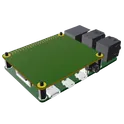
Template for Raspberry Pi 2, 3, 4 or 400 Model B+ Shield. Include an official pinout so you will always know Raspberry Pi names, the alternative roles of pins, which one is SDA, or SCL, etc. On PCB you can find the 3D model of the Raspberry Pi itself along with the board outline on the silkscreen. #RaspberryPi #Raspberry #Pi #RPi #Shield #template #project #project-template
0 Uses0 StarsSC0667
The Raspberry Pi Compute Module 4 Rev5 CM4102000 Lite is a powerful and compact solution for embedded computing applications. Featuring a 1.5GHz quad-core ARM Cortex-A72 processor and 2GB of RAM, it ensures performance in a variety of tasks. Connectivity options include Wireless, Gigabit Ethernet and USB 2.0, ensuring fast and versatile data transfer. Additionally, the board supports multiple expansion interfaces such as I2C, SPI, and UART, and offers 28 digital I/O lines for flexible integration. Ideal for projects requiring reliable computing power within a small footprint, this single board computer operates across a wide temperature range of -20°C to 75°C.
6 Uses0 StarsRaspberry Pi Pico | End-to-end AI Design Tutorial [Example]
Learn how to design PCBs faster with generative AI in this 20 minute hands-on tutorial. You’ll learn how to use Flux Copilot, an AI-powered hardware design assistant, to research parts, review your design, and even connect components. https://youtu.be/FL7e0OXTLic
0 Uses0 StarsRaspberry Pi Pico | End-to-end AI Design Tutorial [Example]
Learn how to design PCBs faster with generative AI in this 20 minute hands-on tutorial. You’ll learn how to use Flux Copilot, an AI-powered hardware design assistant, to research parts, review your design, and even connect components. https://youtu.be/FL7e0OXTLic
0 Uses0 StarsRaspberry Pi Pico | End-to-end AI Design Tutorial [Example]
Learn how to design PCBs faster with generative AI in this 20 minute hands-on tutorial. You’ll learn how to use Flux Copilot, an AI-powered hardware design assistant, to research parts, review your design, and even connect components. https://youtu.be/FL7e0OXTLic
0 Uses0 Stars1085
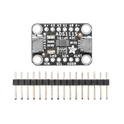
ADS1115 series 16 Bit 860 Samples per Second Analog to Digital Converter (ADC) Evaluation Board Adafruit 1085 ADS1115 Adafruit 4-Channel ADC Breakout based on Texas Instruments ADS1115 (16-bit) or ADS1015 (12-bit) analog-to-digital converter, featuring I2C communication, four single-ended inputs or two differential inputs, programmable gain amplifier (PGA) up to x16, internal voltage reference, programmable comparator, and selectable I2C addresses (0x48–0x4B). Operates from 2.0V to 5.5V and supports interfacing analog sensors with 3.3V and 5V microcontrollers such as Arduino, ESP32, STM32, RP2040, and Raspberry Pi. Search Keywords: Adafruit 4-Channel ADC Breakout, ADS1115 Breakout, ADS1015 Breakout, Adafruit ADS1115, Adafruit ADS1015, I2C ADC Module, 16-bit ADC, 12-bit ADC, 4-channel ADC, differential ADC, programmable gain amplifier, PGA ADC, analog sensor interface, TI ADS1115, TI ADS1015, Raspberry Pi ADC, Arduino ADC module, ESP32 ADC expansion Hashtags: #Adafruit #ADS1115 #ADS1015 #ADCModule #I2CADC #16BitADC #12BitADC #AnalogToDigitalConverter #SensorInterface #DifferentialADC #PGA #Arduino #ESP32 #STM32 #RP2040 #RaspberryPi #DataAcquisition #EmbeddedSystems #AdafruitBreakout
27 Uses0 StarsRP2040
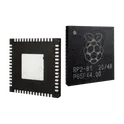
Raspberry Pi RP2040 dual-core Arm Cortex-M0+ microcontroller, running up to 133MHz, with 264KB on-chip SRAM, external QSPI flash support, USB 1.1 device/host controller, 30 GPIO pins, UART, SPI, I2C, PWM, ADC, timers and programmable I/O (PIO) blocks, 1.8V to 3.3V I/O support, low-cost MCU for embedded systems, development boards, IoT devices, USB peripherals, sensors and educational electronics. Search Keywords: RP2040, Raspberry Pi RP2040, RP2040 microcontroller, dual core Cortex-M0+ MCU, Raspberry Pi Pico MCU, RP2040 PIO, RP2040 USB microcontroller, RP2040 QSPI flash, RP2040 datasheet, RP2040 embedded MCU Hashtags: #RP2040 #RaspberryPiRP2040 #RaspberryPiPico #Microcontroller #CortexM0Plus RP2040 chip for Raspberry Pi Pico - ARM® Cortex®-M0+ MCU 32-Bit
2 Uses0 StarsRP2040
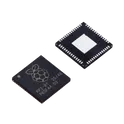
133MHz LQFN-56(7x7) Microcontrollers (MCU/MPU/SOC) ROHS RP2040 The RP2040 is a high-performance, low-cost 32-bit microcontroller developed by Raspberry Pi Ltd.. It features dual ARM Cortex-M0+ processor cores, flexible digital interfaces, and a unique Programmable I/O (PIO) subsystem that enables custom hardware protocols and timing-critical applications. The device is widely used in embedded systems, IoT devices, robotics, industrial control, consumer electronics, and educational projects. Key Features Dual ARM Cortex-M0+ CPU cores operating up to 133 MHz (up to 200 MHz under specific conditions) 264 KB on-chip SRAM organized in six independent memory banks External QSPI Flash interface with Execute-In-Place (XIP) support and up to 16 MB Flash memory capability 30 multifunction GPIO pins with extensive peripheral multiplexing 2 × UART interfaces 2 × SPI controllers 2 × I²C controllers 16 PWM channels for motor control and signal generation USB 1.1 Host and Device support with integrated PHY 12-bit ADC with four external analog inputs and internal temperature sensor, up to 500 ksps sampling rate 12-channel DMA controller for efficient data transfers Programmable I/O (PIO) subsystem with 8 state machines for implementing custom communication interfaces and precise timing applications Integrated PLLs and programmable LDO regulator for clock and power management Operating voltage range: 1.8 V to 3.3 V Available in a compact 7 mm × 7 mm QFN-56 package Typical Applications IoT and connected devices Industrial automation Robotics and motor control Human-machine interfaces (HMI) Consumer electronics USB peripherals Sensor data acquisition systems Educational and maker projects Custom communication protocol implementations using PIO #CommonPartsLibrary #IntegratedCircuit #Microcontroller
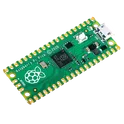
161 Uses0 StarsRaspberry Pi Pico | End-to-end AI Design Tutorial [Example]
Learn how to design PCBs faster with generative AI in this 20 minute hands-on tutorial. You’ll learn how to use Flux Copilot, an AI-powered hardware design assistant, to research parts, review your design, and even connect components. https://youtu.be/FL7e0OXTLic
0 Uses0 Stars


![Raspberry Pi Pico | End-to-end AI Design Tutorial [Example]](https://img-cdn.flux.ai/eyJidWNrZXQiOiJncmF2aXRvbi1lbGVjdHJpYy1zeW1ib2xzIiwia2V5IjoiZG9jdW1lbnRfYXNzZXRzL1RodW1ibmFpbC1ScGljby0tMS0tM2QwMGFjNzYtZjEzNi00YTkzLWJjYTEtYTlkZjc0ZGI0NmE3LnBuZyIsImVkaXRzIjp7InJlc2l6ZSI6eyJ3aWR0aCI6MTI0LCJoZWlnaHQiOjEyNCwiZml0IjoiY29udGFpbiIsImJhY2tncm91bmQiOnsiciI6MCwiZyI6MCwiYiI6MCwiYWxwaGEiOjB9fX0sIm91dHB1dEZvcm1hdCI6IndlYnAifQ==)