ESP32 Schematics
The ESP32 is a low-cost, low-power microcontroller with built-in Wi-Fi and Bluetooth capabilities. It is a highly integrated chip designed for the Internet of Things (IoT) and can be used for a variety of applications, including home automation, wearable technology, and industrial control. One of the key features of the ESP32 is its versatility and wide range of available peripherals, including sensors, displays, and communication modules. This makes it ideal for use in a variety of projects and applications, such as home security systems, smart home devices, and industrial automation systems. Flux.ai has the world's largest community-driven public library of ESP32 devices, with a range of footprints, symbols, datasheets, and simulation models available for users. This extensive library allows developers and designers to easily incorporate the ESP32 into their projects and take advantage of its powerful capabilities. Whether you are building a simple IoT device or a complex industrial control system, the ESP32 is an excellent choice due to its versatility and wide range of available resources.
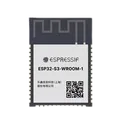
ESP32-S3-WROOM-1-N8
ESP32-S3-WROOM-1-N8 is a high-performance Wi-Fi and Bluetooth Low Energy (BLE) module from Espressif Systems. It is built around the ESP32-S3 SoC, featuring a dual-core Xtensa LX7 processor, integrated 2.4 GHz Wi-Fi and Bluetooth 5 LE connectivity, 8 MB SPI flash memory, and a PCB antenna. The module is optimized for AIoT, edge computing, human-machine interfaces, smart devices, and industrial IoT applications. Key Features Dual-core Xtensa® LX7 CPU running up to 240 MHz for high-performance embedded applications. 8 MB onboard SPI Flash (N8 variant) for firmware and data storage. 2.4 GHz Wi-Fi (802.11 b/g/n) with data rates up to 150 Mbps. Bluetooth 5 LE support including: Long Range mode 2 Mbps PHY Bluetooth Mesh Extended Advertising AI acceleration support through ESP32-S3 vector instructions for machine learning and signal-processing workloads. USB 1.1 OTG and USB Serial/JTAG integrated, simplifying debugging and USB device applications. Up to 45 GPIOs with extensive peripheral support: SPI I²C I²S UART PWM ADC Touch Sensors TWAI® (CAN-compatible) Camera Interface LCD Interface SDIO Host MCPWM Integrated 40 MHz crystal oscillator, RF matching circuitry, and PCB antenna for reduced external component count. Operating voltage range: 3.0 V to 3.6 V. Compact surface-mount module suitable for space-constrained designs. Typical Applications Smart home and home automation devices HMI displays and touchscreen products Voice recognition and audio processing Edge AI and machine learning applications Industrial IoT gateways and sensors Video streaming and camera systems USB-connected embedded devices Smart agriculture and healthcare equipment N8 specifically indicates 8 MB Flash and no PSRAM, making it a good choice for applications requiring substantial program storage but not large external RAM. #RF-transceiver #Module #ESP32
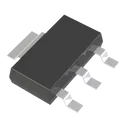
500 Uses0 StarsAMS1117-3.3RG
The AMS1117-3.3RG is a fixed-output, low-dropout (LDO) linear voltage regulator that provides a regulated 3.3 V output from a higher input voltage. It is capable of delivering up to 1 A output current and is commonly used in microcontroller, communication, and embedded-system power supplies where a stable 3.3 V rail is required. The device includes built-in protection features such as current limiting and thermal shutdown for improved reliability. Key Features Fixed 3.3 V output voltage Supports up to 1 A output current Low dropout voltage, typically around 1.2 V and up to 1.3 V at 1 A load Input voltage capability up to 12 V (some manufacturer variants specify higher absolute maximum ratings) Good line and load regulation Built-in current limiting protection Built-in thermal shutdown protection Available in SOT-223 surface-mount package Suitable for post-regulation of switching power supplies and general 3.3 V power conversion applications Typical Applications ESP32, STM32, and other microcontroller-based systems Embedded and IoT devices Communication modules LCD monitors and display circuits Battery-powered equipment Post-regulation for DC/DC converters Motherboards and expansion cards #CommonPartsLibrary #IntegratedCircuit #PowerManagement #LDO
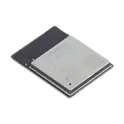
145 Uses0 StarsESP32-S3-MINI-1-N8
ESP32-S3-MINI-1-N8 is a compact, low-power Wi-Fi and Bluetooth module from Espressif Systems based on the ESP32-S3 SoC. It integrates a dual-core Xtensa LX7 processor, 8 MB flash memory, crystal oscillator, RF matching circuitry, and a PCB antenna in a small SMD package, making it ideal for IoT devices, smart home products, industrial automation, HMI applications, AIoT edge devices, and USB-connected embedded systems. Key Features Dual-core 32-bit Xtensa LX7 CPU Up to 240 MHz operating frequency Includes single-precision floating-point unit (FPU) for enhanced processing performance. Integrated Memory 8 MB Quad SPI Flash (N8 variant) 512 KB SRAM 384 KB ROM 16 KB RTC SRAM. Wireless Connectivity 2.4 GHz Wi-Fi 4 (802.11 b/g/n) Data rates up to 150 Mbps Bluetooth 5 LE with Bluetooth Mesh support Simultaneous Wi-Fi and Bluetooth operation through an integrated coexistence mechanism. Rich Peripheral Set Up to 39 GPIOs USB 2.0 OTG USB Serial/JTAG SPI, I²C, I²S, UART PWM, MCPWM SDIO Host ADC Touch sensing Temperature sensor TWAI® (CAN 2.0 compatible) Timers and watchdogs. Integrated Components On-board 40 MHz crystal oscillator PCB antenna RF matching network Compact certified module design. Operating Conditions Supply voltage: 3.0 V to 3.6 V Operating temperature: −40°C to +85°C. Compliance RoHS and REACH compliant RF-certified module for simplified product development. #RF_transceiver #Module #Esp32
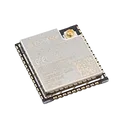
706 Uses0 StarsESP32-WROOM-32UE-N16
2.4GHz -98dBm SMD,19.2x18mm RF Transceiver Modules and Modems RoHS The ESP32-WROOM-32UE-N16 is a 2.4 GHz wireless MCU module built around the ESP32 SoC. It combines a dual-core processor, integrated Wi-Fi (802.11 b/g/n) and Bluetooth 4.2 (Classic + BLE), along with rich peripherals. The “UE” variant specifically uses a U.FL / IPEX connector for an external antenna, making it ideal for applications that require better RF performance or flexible antenna placement (e.g., enclosed products or long-range communication). The “N16” indicates 16 MB external flash memory, suitable for large firmware, OTA updates, and data-heavy applications. Processing Dual-core Xtensa LX6 32-bit CPU Clock speed up to 240 MHz Memory 16 MB Flash (N16 variant) ~520 KB SRAM + 448 KB ROM Connectivity Wi-Fi: 802.11 b/g/n (up to 150 Mbps) Bluetooth: v4.2 (BR/EDR + BLE) Frequency: 2.4 GHz band Antenna External antenna via U.FL connector Better range and flexibility vs PCB antenna Interfaces / Peripherals GPIO (≈26 usable pins) UART, SPI, I2C, I2S, SDIO ADC, DAC PWM (LED & motor control) Capacitive touch sensing Security Hardware encryption: AES, SHA, RSA Secure boot & flash encryption support Power Operating voltage: 3.0V – 3.6V (typ. 3.3V) Multiple low-power modes for battery applications Environmental Operating temperature: -40°C to +85°C Physical Surface-mount module (~38 pins / 52 pads depending on reference) Compact and RF-shielded design Typical Applications Smart home devices (IoT) Industrial automation Wireless sensors and data loggers Wearables and consumer electronics Remote monitoring systems #Module #ESP32
51 Uses0 Stars
![ESP32 x86 PC | Advanced [Example]](https://img-cdn.flux.ai/eyJidWNrZXQiOiJncmF2aXRvbi1lbGVjdHJpYy1zeW1ib2xzIiwia2V5IjoiZG9jdW1lbnRfYXNzZXRzL2VzcDMyeDg2LTA2YjUwNzcyLWEzODctNGMzMS05YjU2LTZiYmFiOTkwODIxYS5qcGciLCJlZGl0cyI6eyJyZXNpemUiOnsid2lkdGgiOjEyNCwiaGVpZ2h0IjoxMjQsImZpdCI6ImNvbnRhaW4iLCJiYWNrZ3JvdW5kIjp7InIiOjAsImciOjAsImIiOjAsImFscGhhIjowfX19LCJvdXRwdXRGb3JtYXQiOiJ3ZWJwIn0=)