ESP32 Schematics
The ESP32 is a low-cost, low-power microcontroller with built-in Wi-Fi and Bluetooth capabilities. It is a highly integrated chip designed for the Internet of Things (IoT) and can be used for a variety of applications, including home automation, wearable technology, and industrial control. One of the key features of the ESP32 is its versatility and wide range of available peripherals, including sensors, displays, and communication modules. This makes it ideal for use in a variety of projects and applications, such as home security systems, smart home devices, and industrial automation systems. Flux.ai has the world's largest community-driven public library of ESP32 devices, with a range of footprints, symbols, datasheets, and simulation models available for users. This extensive library allows developers and designers to easily incorporate the ESP32 into their projects and take advantage of its powerful capabilities. Whether you are building a simple IoT device or a complex industrial control system, the ESP32 is an excellent choice due to its versatility and wide range of available resources.
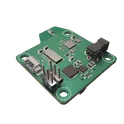
ESPRSSO32 Smart Scale AI Auto Layout [Example] ivPP
Learn how to use AI Auto Layout on this ESP32 Espresso Smart Scale! In one click you’ll see AI Auto Layout perform magic. Pay close attention to how we recommend creating rulesets, zones, and fanouts. By copying the setup in this example on your own project, you’ll have a fully routed board in no time!
0 Uses0 StarsESPRSSO32 Smart Scale AI Auto Layout [Example] wzHe
Learn how to use AI Auto Layout on this ESP32 Espresso Smart Scale! In one click you’ll see AI Auto Layout perform magic. Pay close attention to how we recommend creating rulesets, zones, and fanouts. By copying the setup in this example on your own project, you’ll have a fully routed board in no time!
0 Uses0 StarsESPRSSO32 Smart Scale AI Auto Layout [Example]
Learn how to use AI Auto Layout on this ESP32 Espresso Smart Scale! In one click you’ll see AI Auto Layout perform magic. Pay close attention to how we recommend creating rulesets, zones, and fanouts. By copying the setup in this example on your own project, you’ll have a fully routed board in no time!
0 Uses0 StarsESPRSSO32 Smart Scale AI Auto Layout [Example]
Learn how to use AI Auto Layout on this ESP32 Espresso Smart Scale! In one click you’ll see AI Auto Layout perform magic. Pay close attention to how we recommend creating rulesets, zones, and fanouts. By copying the setup in this example on your own project, you’ll have a fully routed board in no time!
0 Uses0 StarsESPRSSO32 Smart Scale AI Auto Layout [Example] ssNZ
Learn how to use AI Auto Layout on this ESP32 Espresso Smart Scale! In one click you’ll see AI Auto Layout perform magic. Pay close attention to how we recommend creating rulesets, zones, and fanouts. By copying the setup in this example on your own project, you’ll have a fully routed board in no time!
0 Uses0 StarsESPRSSO32 Smart Scale AI Auto Layout [Example] pG5a
Learn how to use AI Auto Layout on this ESP32 Espresso Smart Scale! In one click you’ll see AI Auto Layout perform magic. Pay close attention to how we recommend creating rulesets, zones, and fanouts. By copying the setup in this example on your own project, you’ll have a fully routed board in no time!
0 Uses0 StarsESPRSSO32 Smart Scale AI Auto Layout [Example] 9khx
Learn how to use AI Auto Layout on this ESP32 Espresso Smart Scale! In one click you’ll see AI Auto Layout perform magic. Pay close attention to how we recommend creating rulesets, zones, and fanouts. By copying the setup in this example on your own project, you’ll have a fully routed board in no time!
0 Uses0 StarsESPRSSO32 Smart Scale AI Auto Layout [Example]
Learn how to use AI Auto Layout on this ESP32 Espresso Smart Scale! In one click you’ll see AI Auto Layout perform magic. Pay close attention to how we recommend creating rulesets, zones, and fanouts. By copying the setup in this example on your own project, you’ll have a fully routed board in no time!
0 Uses0 StarsESPRSSO32 Smart Scale AI Auto Layout [Example]
Learn how to use AI Auto Layout on this ESP32 Espresso Smart Scale! In one click you’ll see AI Auto Layout perform magic. Pay close attention to how we recommend creating rulesets, zones, and fanouts. By copying the setup in this example on your own project, you’ll have a fully routed board in no time!
0 Uses0 StarsESPRSSO32 Smart Scale AI Auto Layout [Example] rxTg
Learn how to use AI Auto Layout on this ESP32 Espresso Smart Scale! In one click you’ll see AI Auto Layout perform magic. Pay close attention to how we recommend creating rulesets, zones, and fanouts. By copying the setup in this example on your own project, you’ll have a fully routed board in no time!
0 Uses0 StarsESPRSSO32 Smart Scale AI Auto Layout [Example] aWG9
Learn how to use AI Auto Layout on this ESP32 Espresso Smart Scale! In one click you’ll see AI Auto Layout perform magic. Pay close attention to how we recommend creating rulesets, zones, and fanouts. By copying the setup in this example on your own project, you’ll have a fully routed board in no time!
0 Uses0 StarsESPRSSO32 Smart Scale AI Auto Layout [Example] n5qp
Learn how to use AI Auto Layout on this ESP32 Espresso Smart Scale! In one click you’ll see AI Auto Layout perform magic. Pay close attention to how we recommend creating rulesets, zones, and fanouts. By copying the setup in this example on your own project, you’ll have a fully routed board in no time!
0 Uses0 StarsESPRSSO32 Smart Scale AI Auto Layout [Example] oUgB
Learn how to use AI Auto Layout on this ESP32 Espresso Smart Scale! In one click you’ll see AI Auto Layout perform magic. Pay close attention to how we recommend creating rulesets, zones, and fanouts. By copying the setup in this example on your own project, you’ll have a fully routed board in no time!
0 Uses0 StarsESPRSSO32 Smart Scale AI Auto Layout [Example]
Learn how to use AI Auto Layout on this ESP32 Espresso Smart Scale! In one click you’ll see AI Auto Layout perform magic. Pay close attention to how we recommend creating rulesets, zones, and fanouts. By copying the setup in this example on your own project, you’ll have a fully routed board in no time!
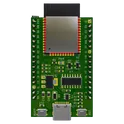
0 Uses0 StarsESP32-WROOM-32E Reference Design
This project is a reference design for an ESP32-WROOM-32E based device. It features USB-C for power and data transfer, onboard voltage regulation, and multiple peripheral connections. It also includes a CH340C for USB to serial conversion #referenceDesign #project #ESP32 #ESP32WROOM #RF #WIFI #MCU #simpleEmbedded #espressif #template
0 Uses0 StarsESP32 Robot Controller | AI Design Review Tutorial [Example] uHCv
Spot the mistake! Learn how to use AI to conduct a design review on an ESP32-based control board. This project is ideal for autonomous or radio-controller robots featuring inputs for sensors, encoders, and a Flysky RC receiver, plus an I2C display for configuration.
0 Uses0 StarsESPRSSO32 Smart Scale AI Auto Layout [Example] 5X7i
Learn how to use AI Auto Layout on this ESP32 Espresso Smart Scale! In one click you’ll see AI Auto Layout perform magic. Pay close attention to how we recommend creating rulesets, zones, and fanouts. By copying the setup in this example on your own project, you’ll have a fully routed board in no time!
0 Uses0 StarsESPRSSO32 Smart Scale AI Auto Layout [Example] 9Fpn
Learn how to use AI Auto Layout on this ESP32 Espresso Smart Scale! In one click you’ll see AI Auto Layout perform magic. Pay close attention to how we recommend creating rulesets, zones, and fanouts. By copying the setup in this example on your own project, you’ll have a fully routed board in no time!
0 Uses0 StarsESP32 Robot Controller | AI Design Review Tutorial [Example]
Spot the mistake! Learn how to use AI to conduct a design review on an ESP32-based control board. This project is ideal for autonomous or radio-controller robots featuring inputs for sensors, encoders, and a Flysky RC receiver, plus an I2C display for configuration.
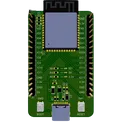
0 Uses0 StarsESP32-S3-WROOM-1 Reference Design
This project is a reference project for ESP32-S3-WROOM-1 to develop your IoT ideas. The board has 3 LEDs, USB C for firmware, EN and BOOT buttons, and 2 IO connectors for development #IoT #WiFi #MCU #RF #ESP32 #project #referenceDesign #simple-embedded #espressif #template #reference-design
0 Uses0 StarsESPRSSO32 Smart Scale AI Auto Layout [Example] 6yDo
Learn how to use AI Auto Layout on this ESP32 Espresso Smart Scale! In one click you’ll see AI Auto Layout perform magic. Pay close attention to how we recommend creating rulesets, zones, and fanouts. By copying the setup in this example on your own project, you’ll have a fully routed board in no time!
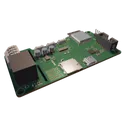
0 Uses0 StarsCoffee Waker Main HQ W/ Module V3.1 82a2
The Coffee Waker is a unique, full-featured coffee maker alarm clock designed to brighten your morning routine with the irresistible aroma of freshly brewed coffee. By seamlessly integrating multiple high-performance components onto a single main board, the Coffee Waker delivers both functionality and innovation: - **Processing & Connectivity:** Powered by an ESP32-S3, it offers built-in WiFi and Bluetooth, enabling smart scheduling, remote control, and over-the-air updates. - **Precision Sensing:** A 16-bit load cell ADC provides accurate measurements, ensuring precise weight sensing for coffee bean dosing or liquid volume monitoring. - **Quality Audio Output:** The onboard 16-bit MP3 DAC guarantees clear audio playback, from alarm sounds to any custom wake-up messages you program. - **Robust Power Handling:** With a 120V heater cartridge relay and a 12V wakeup light converter integrated, the board safely manages high voltage switching and provides a visually soothing light routine. - **Thoughtful Integration:** Designed with automotive-grade components, precision regulators, and careful signal routing, the Coffee Waker Main Board combines performance with reliability while keeping a compact footprint. Overall, the Coffee Waker transcends the ordinary alarm clock, merging daily utility with modern connectivity and a touch of luxury—making it the perfect addition to any nightstand. #CoffeeWaker #SmartHome #CoffeeMaker #AlarmClock #MorningRoutine #Technology #Innovation
0 Uses0 StarsESP32-WROOM-32E Reference Design
This project is a reference design for an ESP32-WROOM-32E based device. It features USB-C for power and data transfer, onboard voltage regulation, and multiple peripheral connections. It also includes a CH340C for USB to serial conversion #referenceDesign #project #ESP32 #ESP32WROOM #RF #WIFI #MCU #simpleEmbedded #espressif #template
0 Uses0 StarsESP32 Robot Controller | AI Design Review Tutorial [Example]
Spot the mistake! Learn how to use AI to conduct a design review on an ESP32-based control board. This project is ideal for autonomous or radio-controller robots featuring inputs for sensors, encoders, and a Flysky RC receiver, plus an I2C display for configuration.
0 Uses0 Stars