ESP32 Schematics
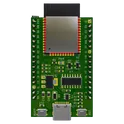
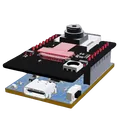
The ESP32 is a low-cost, low-power microcontroller with built-in Wi-Fi and Bluetooth capabilities. It is a highly integrated chip designed for the Internet of Things (IoT) and can be used for a variety of applications, including home automation, wearable technology, and industrial control. One of the key features of the ESP32 is its versatility and wide range of available peripherals, including sensors, displays, and communication modules. This makes it ideal for use in a variety of projects and applications, such as home security systems, smart home devices, and industrial automation systems. Flux.ai has the world's largest community-driven public library of ESP32 devices, with a range of footprints, symbols, datasheets, and simulation models available for users. This extensive library allows developers and designers to easily incorporate the ESP32 into their projects and take advantage of its powerful capabilities. Whether you are building a simple IoT device or a complex industrial control system, the ESP32 is an excellent choice due to its versatility and wide range of available resources.
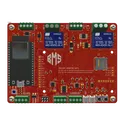
ESP32 Robot Controller | AI Design Review Tutorial [Example]
Spot the mistake! Learn how to use AI to conduct a design review on an ESP32-based control board. This project is ideal for autonomous or radio-controller robots featuring inputs for sensors, encoders, and a Flysky RC receiver, plus an I2C display for configuration.
0 Uses0 StarsESPRSSO32 Smart Scale AI Auto Layout [Example]
Learn how to use AI Auto Layout on this ESP32 Espresso Smart Scale! In one click you’ll see AI Auto Layout perform magic. Pay close attention to how we recommend creating rulesets, zones, and fanouts. By copying the setup in this example on your own project, you’ll have a fully routed board in no time!
0 Uses0 StarsSecret Project [Polygons Example]
Have you ever wanted to wake up to one of the most energizing scents? Have you ever wanted that cup of energy in your hands before you even slide out of your covers? Well want no further! Introducing the Coffee Waker; The knight of your nightstand, a coffee maker alarm clock with one soul purpose, to quickly and scrumptiously wake you up. This is the Coffee Waker Main board. It contains an ESP32-S3, 16 bit Load Cell ADC, 16 bit MP3 DAC, 120V heater cartridge relay, and 12C wakeup light convector.
0 Uses0 StarsSecret Project [Polygons Example] owxz
Have you ever wanted to wake up to one of the most energizing scents? Have you ever wanted that cup of energy in your hands before you even slide out of your covers? Well want no further! Introducing the Coffee Waker; The knight of your nightstand, a coffee maker alarm clock with one soul purpose, to quickly and scrumptiously wake you up. This is the Coffee Waker Main board. It contains an ESP32-S3, 16 bit Load Cell ADC, 16 bit MP3 DAC, 120V heater cartridge relay, and 12C wakeup light convector.
0 Uses0 StarsESPRSSO32 Smart Scale AI Auto Layout [Example]
Learn how to use AI Auto Layout on this ESP32 Espresso Smart Scale! In one click you’ll see AI Auto Layout perform magic. Pay close attention to how we recommend creating rulesets, zones, and fanouts. By copying the setup in this example on your own project, you’ll have a fully routed board in no time!
0 Uses0 StarsESPRSSO32 Smart Scale AI Auto Layout [Example]
Learn how to use AI Auto Layout on this ESP32 Espresso Smart Scale! In one click you’ll see AI Auto Layout perform magic. Pay close attention to how we recommend creating rulesets, zones, and fanouts. By copying the setup in this example on your own project, you’ll have a fully routed board in no time!
0 Uses0 StarsESPRSSO32 Smart Scale AI Auto Layout [Example]
Learn how to use AI Auto Layout on this ESP32 Espresso Smart Scale! In one click you’ll see AI Auto Layout perform magic. Pay close attention to how we recommend creating rulesets, zones, and fanouts. By copying the setup in this example on your own project, you’ll have a fully routed board in no time!
0 Uses0 StarsESP32-WROOM-32E Reference Design
This project is a reference design for an ESP32-WROOM-32E based device. It features USB-C for power and data transfer, onboard voltage regulation, and multiple peripheral connections. It also includes a CH340C for USB to serial conversion #referenceDesign #project #ESP32 #ESP32WROOM #RF #WIFI #MCU #simpleEmbedded #espressif #template
0 Uses0 StarsESPRSSO32 Smart Scale AI Auto Layout [Example]
Learn how to use AI Auto Layout on this ESP32 Espresso Smart Scale! In one click you’ll see AI Auto Layout perform magic. Pay close attention to how we recommend creating rulesets, zones, and fanouts. By copying the setup in this example on your own project, you’ll have a fully routed board in no time!
0 Uses0 StarsESPRSSO32 Smart Scale AI Auto Layout [Example]
Learn how to use AI Auto Layout on this ESP32 Espresso Smart Scale! In one click you’ll see AI Auto Layout perform magic. Pay close attention to how we recommend creating rulesets, zones, and fanouts. By copying the setup in this example on your own project, you’ll have a fully routed board in no time!
0 Uses0 StarsESPRSSO32 Smart Scale AI Auto Layout [Example]
Learn how to use AI Auto Layout on this ESP32 Espresso Smart Scale! In one click you’ll see AI Auto Layout perform magic. Pay close attention to how we recommend creating rulesets, zones, and fanouts. By copying the setup in this example on your own project, you’ll have a fully routed board in no time!
0 Uses0 StarsESPRSSO32 Smart Scale AI Auto Layout [Example]
Learn how to use AI Auto Layout on this ESP32 Espresso Smart Scale! In one click you’ll see AI Auto Layout perform magic. Pay close attention to how we recommend creating rulesets, zones, and fanouts. By copying the setup in this example on your own project, you’ll have a fully routed board in no time!
0 Uses0 StarsESPRSSO32 Smart Scale AI Auto Layout [Example]
Learn how to use AI Auto Layout on this ESP32 Espresso Smart Scale! In one click you’ll see AI Auto Layout perform magic. Pay close attention to how we recommend creating rulesets, zones, and fanouts. By copying the setup in this example on your own project, you’ll have a fully routed board in no time!
0 Uses0 StarsESPRSSO32 Smart Scale AI Auto Layout [Example]
Learn how to use AI Auto Layout on this ESP32 Espresso Smart Scale! In one click you’ll see AI Auto Layout perform magic. Pay close attention to how we recommend creating rulesets, zones, and fanouts. By copying the setup in this example on your own project, you’ll have a fully routed board in no time!
0 Uses0 StarsESPRSSO32 Smart Scale AI Auto Layout [Example]
Learn how to use AI Auto Layout on this ESP32 Espresso Smart Scale! In one click you’ll see AI Auto Layout perform magic. Pay close attention to how we recommend creating rulesets, zones, and fanouts. By copying the setup in this example on your own project, you’ll have a fully routed board in no time!
0 Uses0 StarsESP32 Robot Controller | AI Design Review Tutorial [Example]
Spot the mistake! Learn how to use AI to conduct a design review on an ESP32-based control board. This project is ideal for autonomous or radio-controller robots featuring inputs for sensors, encoders, and a Flysky RC receiver, plus an I2C display for configuration.
0 Uses0 StarsESP-CAM Motherboard Module
This project is a motherboard for the ESP32-CAM module, which enables easy and flexible WiFi camera applications. The motherboard provides power supply, programming interface, and GPIO expansion for the ESP32-CAM. It also supports external sensors for more functionality. #motherboard #WiFi #MCU #ReferenceDesign #project #ESP32 #camera #reusable #module #edgeComputing #espressif #template
0 Uses0 StarsESP32 Robot Controller | AI Design Review Tutorial [Example]
Spot the mistake! Learn how to use AI to conduct a design review on an ESP32-based control board. This project is ideal for autonomous or radio-controller robots featuring inputs for sensors, encoders, and a Flysky RC receiver, plus an I2C display for configuration.
0 Uses0 StarsESP32 Robot Controller | AI Design Review Tutorial [Example]
Spot the mistake! Learn how to use AI to conduct a design review on an ESP32-based control board. This project is ideal for autonomous or radio-controller robots featuring inputs for sensors, encoders, and a Flysky RC receiver, plus an I2C display for configuration.
0 Uses0 StarsESP32 Robot Controller | AI Design Review Tutorial [Example]
Spot the mistake! Learn how to use AI to conduct a design review on an ESP32-based control board. This project is ideal for autonomous or radio-controller robots featuring inputs for sensors, encoders, and a Flysky RC receiver, plus an I2C display for configuration.
0 Uses0 Starsiot plant monitoring system
Project Title: Plant Monitoring and Irrigation System Overview: This system is based on the ESP32-S3 and is designed to manage irrigation for a multi-floor building. Key Features: Multi-Floor Operation: The system controls three separate floors. Each floor's irrigation can be managed independently. Irrigation and Pump Control: Each floor uses a solenoid valve to regulate water flow. The solenoid valves are operated via MOSFETs. A relay engages an AC water pump when a MOSFET triggers a solenoid valve. Hardware Interconnects: Screw Terminal connectors are added for connecting the solenoid valves and the motor pump. A DC Jack is included to supply power to the system. User Interface & Connectivity: Two JST connectors are provided for integrating an OLED display, a rotary encoder, and a pushbutton. Future enhancements may include the addition of soil moisture sensors. Remote Control: The system is designed for future integration with Blynk IoT. Blynk IoT will offer both manual control and timer-based irrigation modes for each floor.
0 Uses0 StarsESPRSSO32 Smart Scale AI Auto Layout [Example]
Learn how to use AI Auto Layout on this ESP32 Espresso Smart Scale! In one click you’ll see AI Auto Layout perform magic. Pay close attention to how we recommend creating rulesets, zones, and fanouts. By copying the setup in this example on your own project, you’ll have a fully routed board in no time!
0 Uses0 StarsESPRSSO32 Smart Scale AI Auto Layout [Example]
Learn how to use AI Auto Layout on this ESP32 Espresso Smart Scale! In one click you’ll see AI Auto Layout perform magic. Pay close attention to how we recommend creating rulesets, zones, and fanouts. By copying the setup in this example on your own project, you’ll have a fully routed board in no time!
0 Uses0 Stars